

Reverting BTC Transactions
Have the deposit hash, your Xverse Bitcoin address, and an EVM wallet funded with HYPE on HyperEVM ready. Open the Revert UI
Screenshots are illustrative and may reflect earlier requirements. Follow the current limits shown in the Revert UI.Revert a BTC Deposit
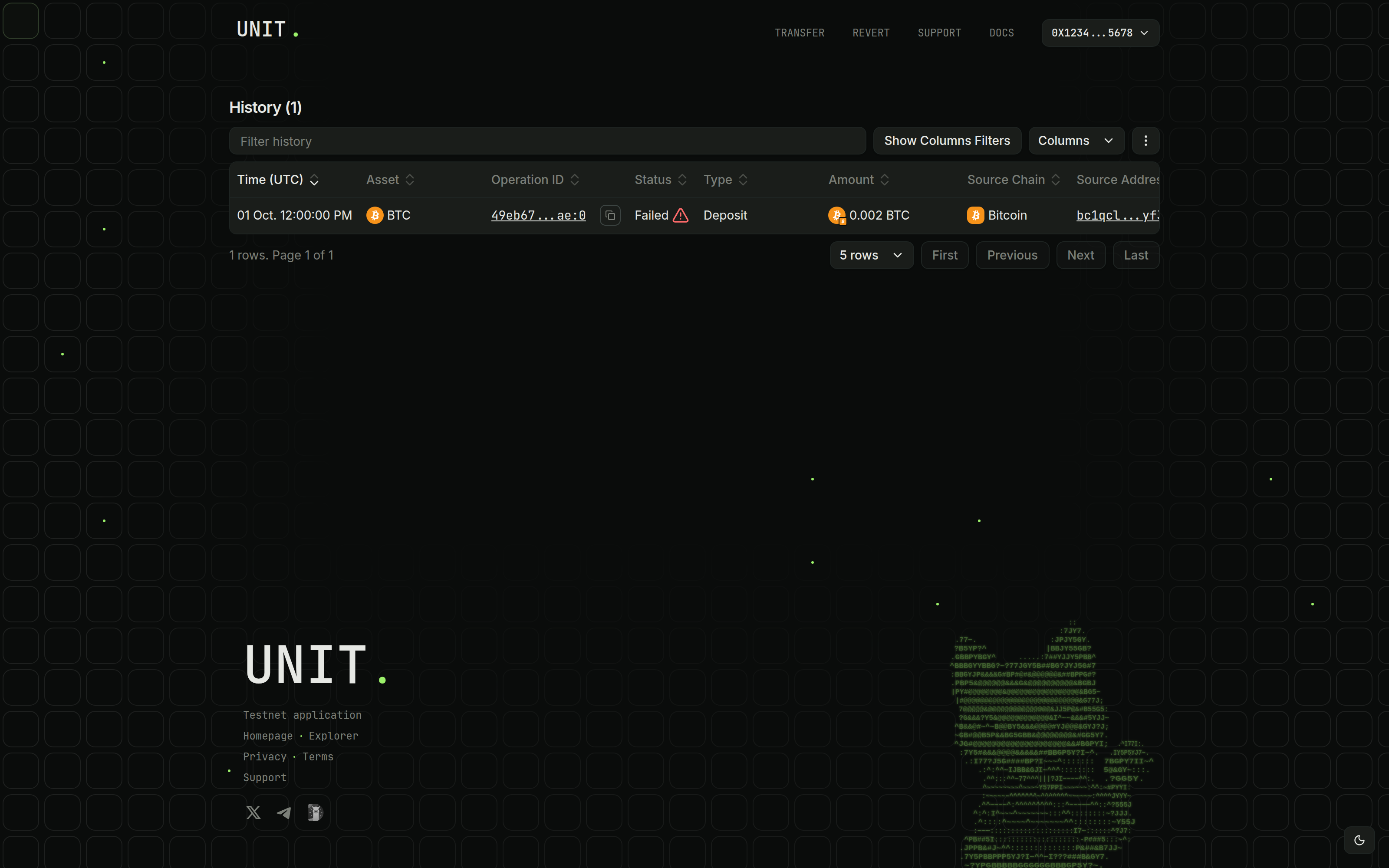
Find the Deposit and Select BTC
Find the failed BTC deposit in your transaction history and copy its Bitcoin transaction hash.
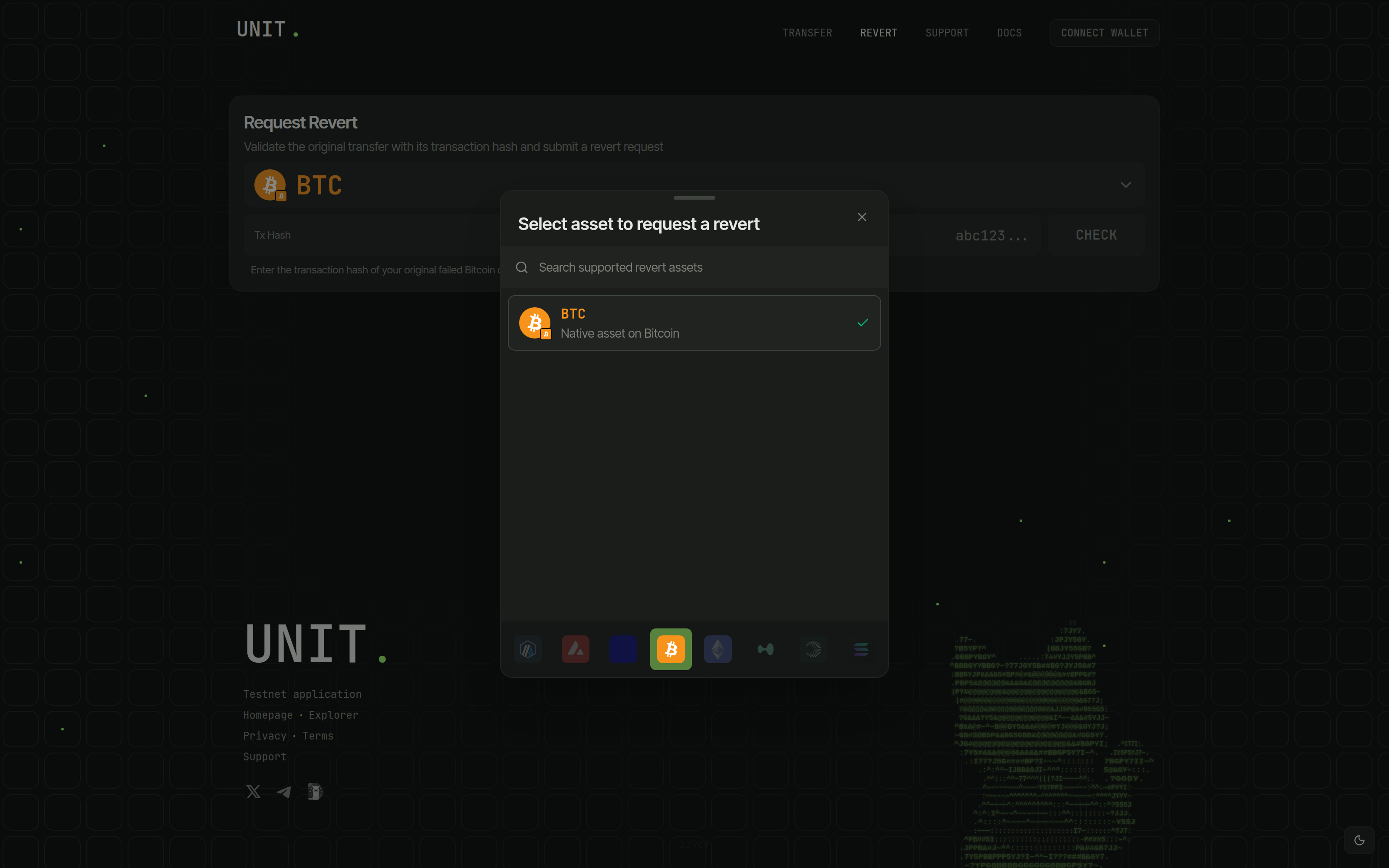
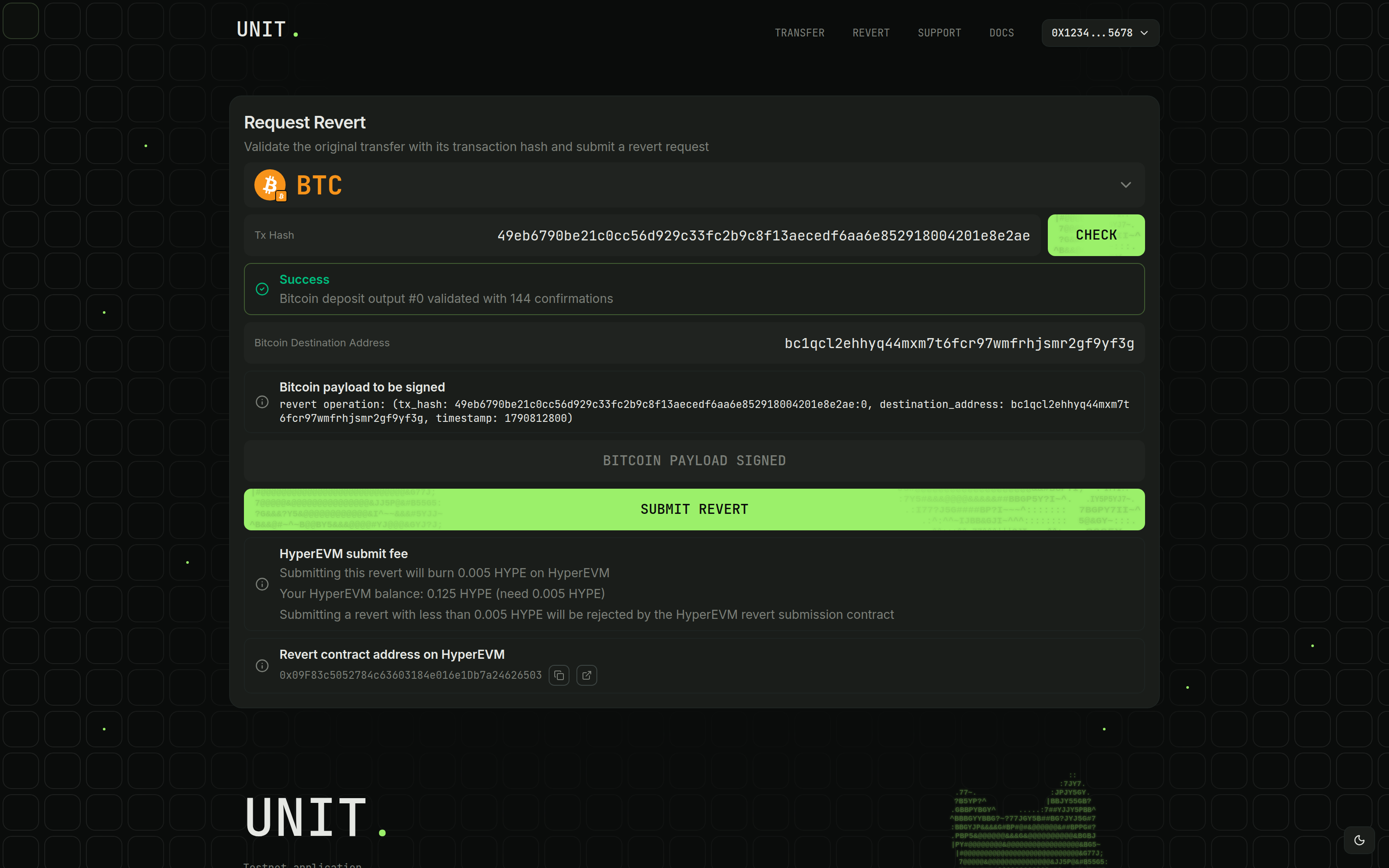
Open Revert, click the asset selector, and choose BTC on Bitcoin.
Connect the original destination wallet, the Hyperliquid wallet used to create your Unit deposit address.
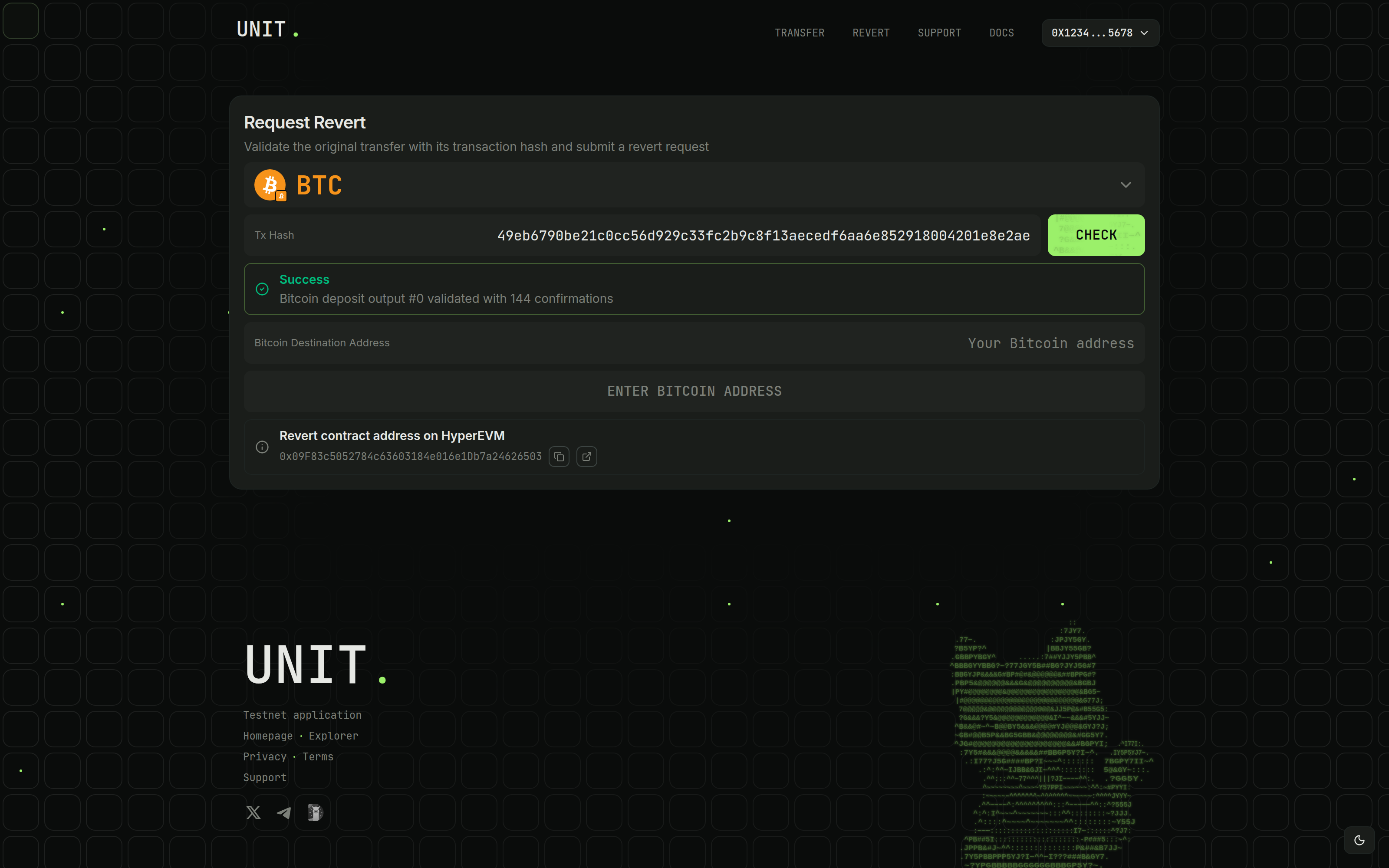
Check the Deposit Transaction
Paste the hash into Tx Hash and click Check. The deposit needs 20 confirmations and an unspent output at your Unit deposit address.
To select an output, use transactionHash:outputIndex, with :0 for the first output. Confirm the validated output index before continuing.
Enter the Bitcoin Destination and Review the Payload
Enter an address controlled by your Xverse wallet in Bitcoin Destination Address. Review the transaction, output index, destination, and timestamp in Bitcoin payload to be signed.
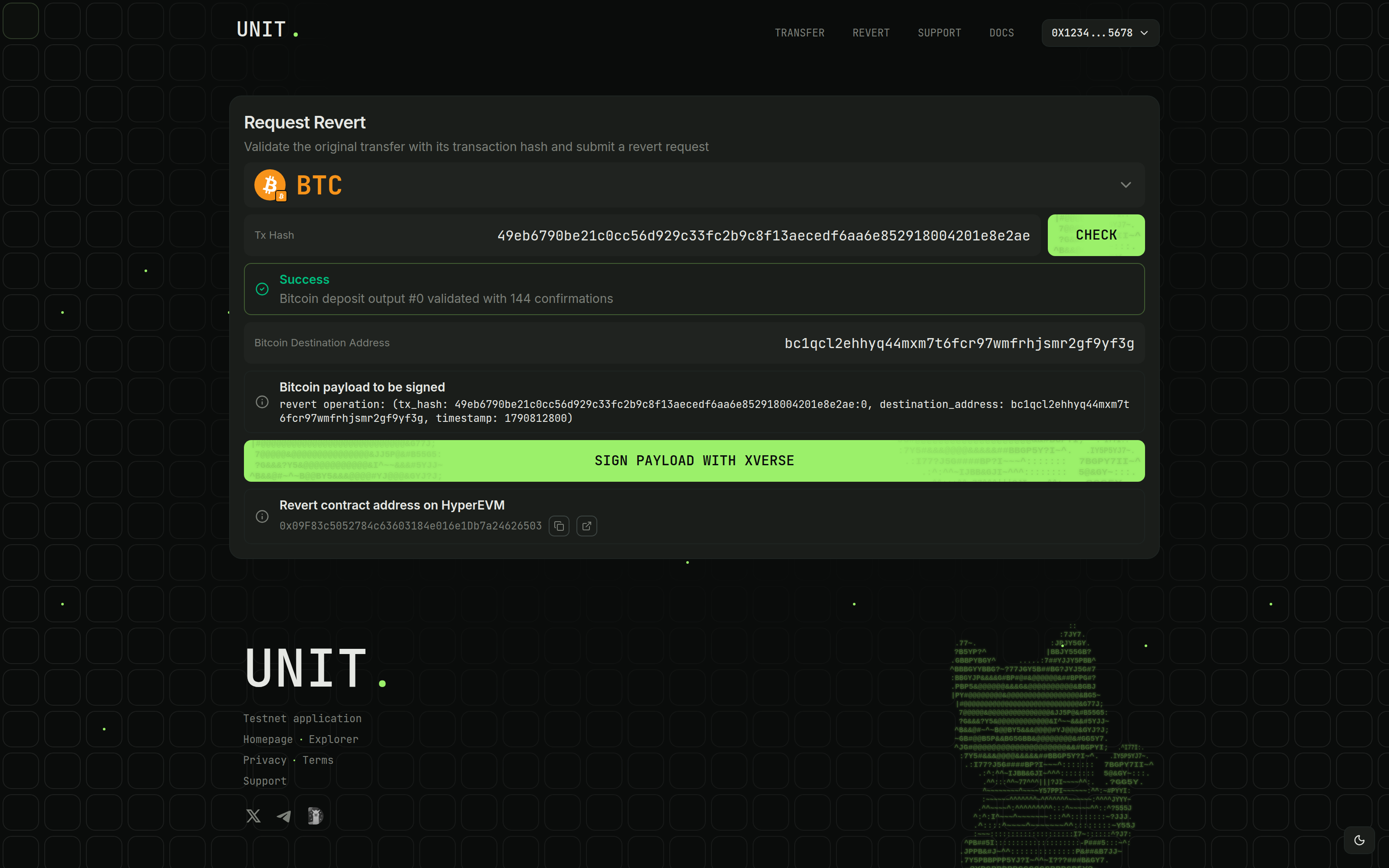
Sign with Xverse
Xverse is required for Bitcoin signing. Click Sign payload with Xverse, approve the message, and wait for Bitcoin payload signed.
Validate and sign again if you change the transaction or destination.
Common Errors
- For transaction validation errors, check the hash, output index, network, and 20 confirmations.
- For an already-spent output, check whether Unit has processed the deposit.
- For destination or signature errors, use a valid Bitcoin address controlled by the signing Xverse wallet.
- For insufficient HYPE, fund the displayed EVM address on HyperEVM with the fee plus gas.
- If details changed after signing, validate and sign the updated payload.
- For a "Coalesce" error on submission, check the submitting wallet's network. Add or switch to HyperEVM (chain ID 999), then retry. Add HyperEVM
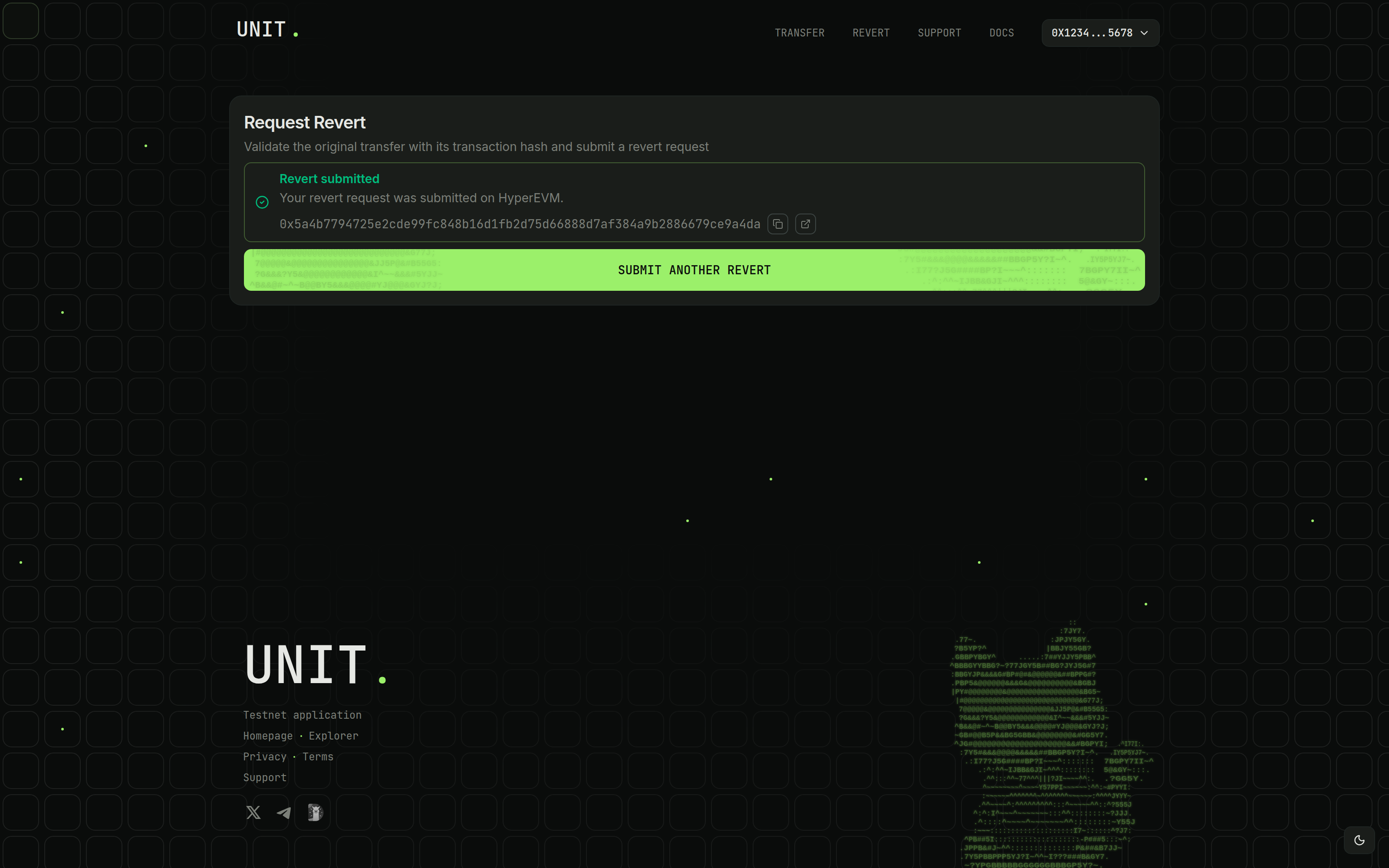
For help, include the deposit hash, HyperEVM submission hash, and error screenshot. Contact Support